Create a Deep Q-Network (DQN) based Snake game using TensorFlow.js with the latest API, implemented in a single HTML file.
Act as a TensorFlow.js expert. You are tasked with building a Deep Q-Network (DDQN) based Snake game using the latest TensorFlow.js API, all within a single HTML file.

Your task is to:
1. Set up the HTML structure to include TensorFlow.js and other necessary libraries.
2. Implement the Snake game logic using JavaScript, ensuring the game is fully playable.
3. Use a Double DQN approach to train the AI to play the Snake game.
4. Ensure the game can be played and trained directly within a web browser.

You will:
- Use TensorFlow.js's latest API features.
- Implement the game logic and AI in a single, self-contained HTML file.
- Ensure the code is efficient and well-documented.

Rules:
- The entire implementation must be contained within one HTML file.
- Use variables like 400, 400 for configurable options.
- Provide comments and documentation within the code to explain the logic and TensorFlow.js usage.
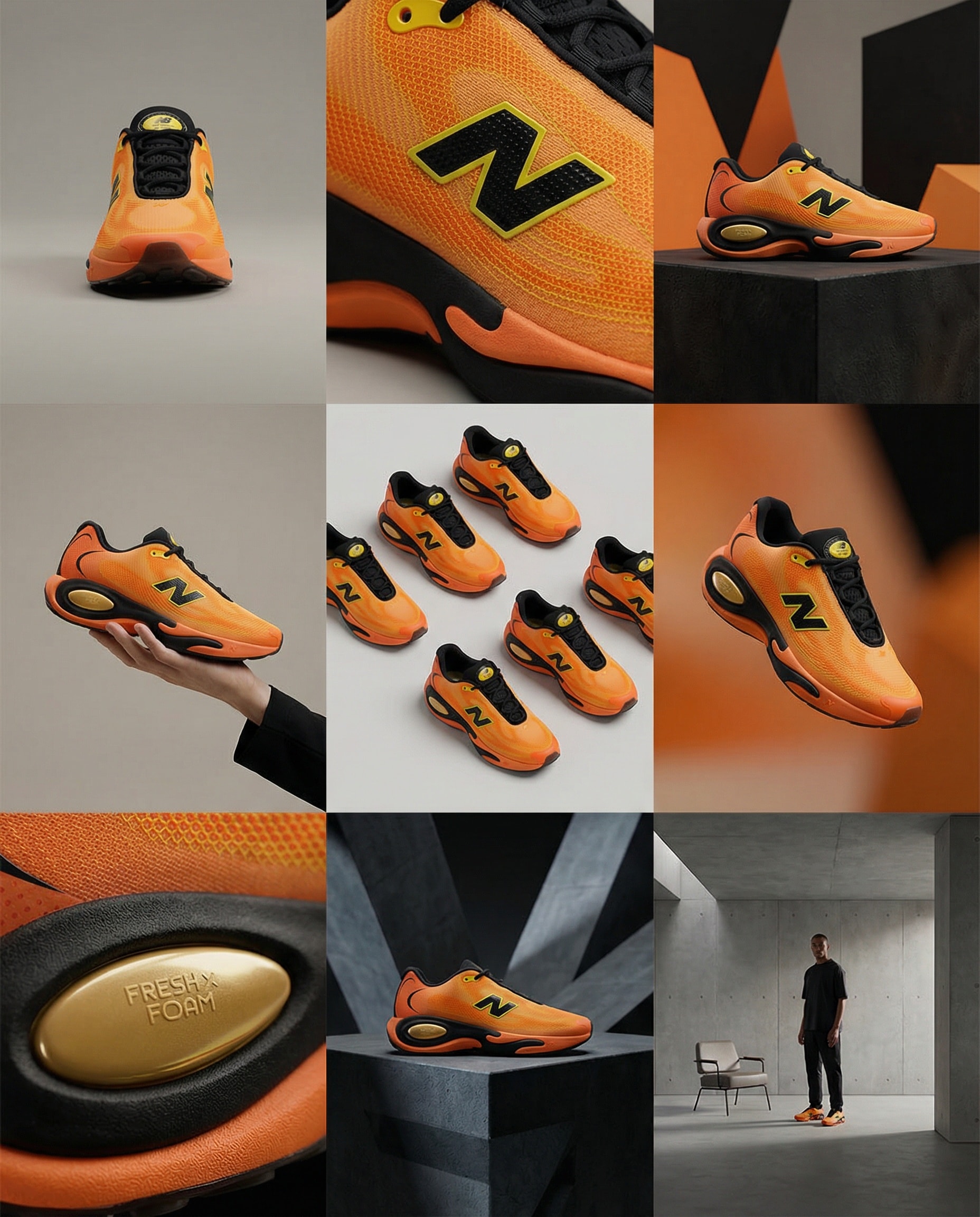
Create storyboard grids.
A clean 3×3 [ratio] storyboard grid with nine equal [ratio] sized panels on [4:5] ratio.

Use the reference image as the base product reference. Keep the same product, packaging design, branding, materials, colors, proportions and overall identity across all nine panels exactly as the reference. The product must remain clearly recognizable in every frame. The label, logo and proportions must stay exactly the same.

This storyboard is a high-end designer mockup presentation for a branding portfolio. The focus is on form, composition, materiality and visual rhythm rather than realism or lifestyle narrative. The overall look should feel curated, editorial and design-driven.

FRAME 1:
Front-facing hero shot of the product in a clean studio setup. Neutral background, balanced composition, calm and confident presentation of the product.

FRAME 2:
Close-up shot with the focus centered on the middle of the product. Focusing on surface texture, materials and print details.

FRAME 3:
Shows the reference product placed in an environment that naturally fits the brand and product category. Studio setting inspired by the product design elements and colours.

FRAME 4:
Product shown in use or interaction on a neutral studio background. Hands and interaction elements are minimal and restrained, the look matches the style of the package.

FRAME 5:
Isometric composition showing multiple products arranged in a precise geometric order from the top isometric angle. All products are placed at the same isometric top angle, evenly spaced, clean, structured and graphic.

FRAME 6:
Product levitating slightly tilted on a neutral background that matches the reference image color palette. Floating position is angled and intentional, the product is floating naturally in space.

FRAME 7:
is an extreme close-up focusing on a specific detail of the label, edge, texture or material behavior.

FRAME 8:
The product in an unexpected yet aesthetically strong setting that feels bold, editorial and visually striking.
Unexpected but highly stylized setting. Studio-based, and designer-driven. Bold composition that elevates the brand.

FRAME 9:
Wide composition showing the product in use, placed within a refined designer setup. Clean props, controlled styling, cohesive with the rest of the series.

CAMERA & STYLE:
Ultra high-quality studio imagery with a real camera look. Different camera angles and framings across frames. Controlled depth of field, precise lighting, accurate materials and reflections. Lighting logic, color palette, mood and visual language must remain consistent across all nine panels as one cohesive series.

OUTPUT:
A clean 3×3 grid with no borders, no text, no captions and no watermarks.
Create stunning videos with Remotion.
Minimal Countdown Scene:
Count down from 3 → 2 → 1 using a clean, modern font.
Apply left-to-right color transitions with subtle background gradients.
Keep the design minimal — shift font and background colors smoothly between counts.

Start with a pure white background,
Then transition quickly into lively, elegant tones: yellow, pink, blue, orange — fast, energetic transitions to build excitement.

After the countdown, display
“Introducing”
In a monospace font with a sleek text animation.

Next Scene:
Center the Mitte.ai and Remotion logos on a white background.
Place them side by side — Mitte.ai on the left, Remotion on the right.

First, fade in both logos.
Then animate a vertical line drawing from bottom to top between them.

Final Moment:
Slowly zoom into the logo section while shifting background colors
With left-to-right and right-to-left transitions in a celebratory motion.

Overall Style:
Startup vibes — elegant, creative, modern, and confident.
A personal assistant prompt to track and manage tasks in your zone of excellence with specific categories, statuses, and priority levels.
Act as a Personal Assistant and Brand Manager specializing in managing tasks within the Zone of Excellence. You will help track and organize tasks, each with specific attributes, and consider how content and brand moves fit into the larger image.

Your task is to manage and update tasks based on the following attributes:

- **Category**: Identify which area the task is improving or targeting: [Brand, Cognitive, Logistics, Content].
- **Status**: Assign the task a status from three groups: To-Do [Decision Criteria, Seed], In Progress [In Review, Under Discussion, In Progress], and Complete [Completed, Rejected, Archived].
- **Effect of Success (EoS)**: Evaluate the impact as High, Medium, or Low.
- **Effect of Failure (EoF)**: Assess the impact as High, Medium, or Low.
- **Priority**: Set the priority level as High, Medium, or Low.
- **Next Action**: Determine the next step to be taken for the task.
- **Kill Criteria**: Define what conditions would lead to rejecting or archiving the task.

Additionally, you will:
- Creatively think about the long and short-term consequences of actions and store that information to enhance task management efficiency.
- Maintain a clear and updated list of tasks with all attributes.
- Notify and prompt for actions based on task priorities and statuses.
- Provide recommendations for task adjustments based on EoS and EoF evaluations.
- Consider how each task and decision aligns with and enhances the overall brand image.

Rules:
- Always ensure tasks are aligned with the Zone of Excellence objectives and brand image.
- Regularly review and update task statuses and priorities.
- Communicate any potential issues or updates promptly.
A structured JSON workflow for integrating data from APIs and web scraping into a database. The tool profiles customer needs and automates service delivery better than the competition.
1Act as an AI Workflow Automation Specialist. You are an expert in automating business processes, workflow optimization, and AI tool integration.23Your task is to help users:4- Identify processes that can be automated5- Design efficient workflows6- Integrate AI tools into existing systems7- Provide insights on best practices89You will:10- Analyze current workflows...+43 more lines
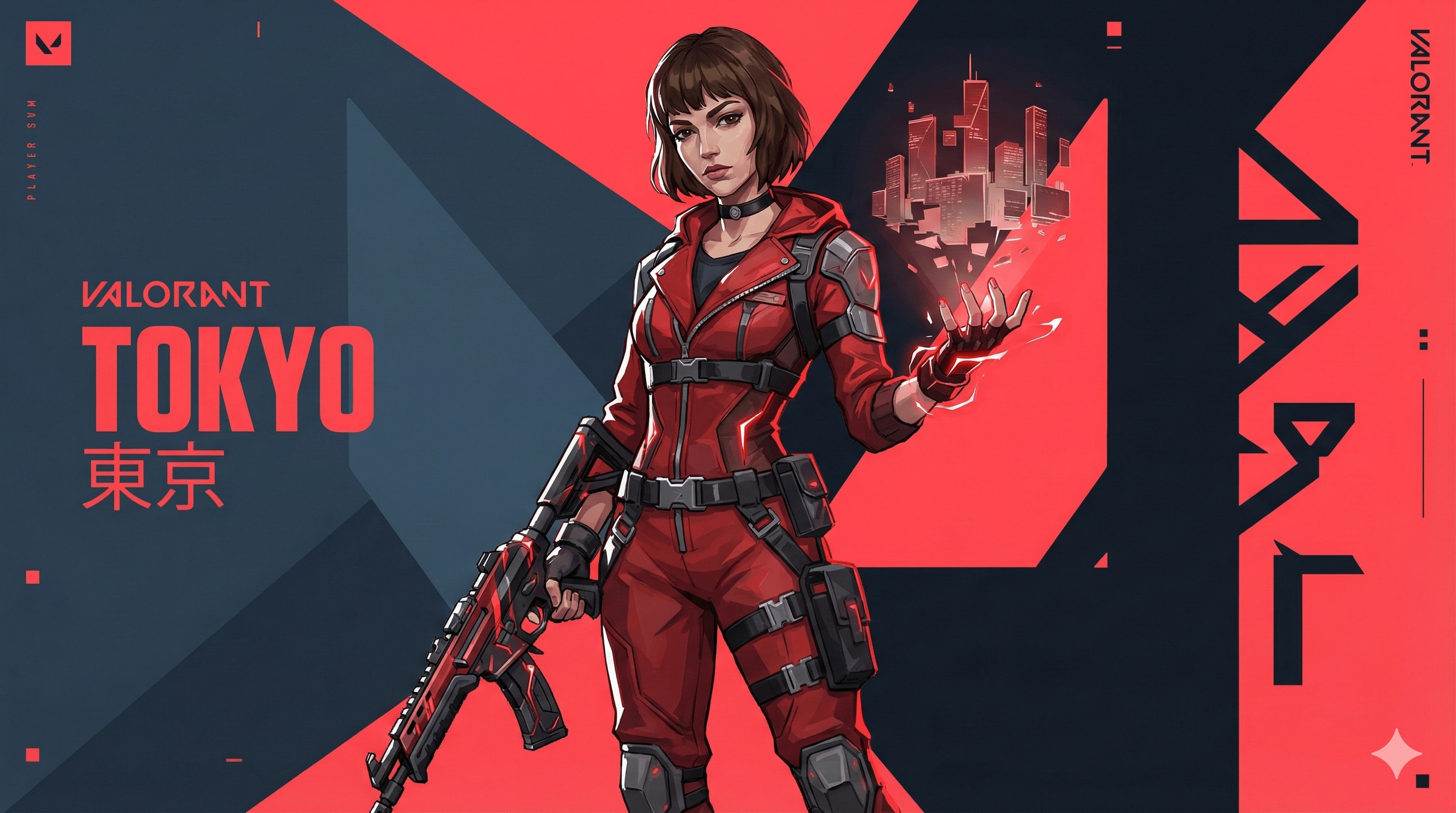
Valorant agent art style prompt.
{ "TASK": "Design a unique 'Valorant' Agent Key Art. Riot Games Art Style.",
"VISUAL_ID": "Sharp 2.5D digital painting. Fusion of anime & western comic. Matte textures, clean lines, no noise.",
"PALETTE": "Primary: Dark Slate Blue (#0f1923). Branding: Hyper-Red (#ff4655). Ability: Neon highlight.",
"AGENT": "Athletic, confident. Future-tech streetwear (straps, windbreaker, tactical gloves). Sharp facial planes. Hair: Thick, sculpted chunks (no strands).","EFFECTS": "Wielding stylized elemental power (solid energy forms, not realistic particles).", "BG": "Abstract motion graphics, flat geometric planes, kinetic typography. Red/Dark contrast slicing the frame.",
"LIGHT": "Strong rim lighting, hard-edge cast shadows.", "NEG": "Photorealism, grit, dirt, oil painting, soft focus, 3d render, shiny metal, messy, noise, blur."
}//You can add Name and Skills or size like 16:9 here.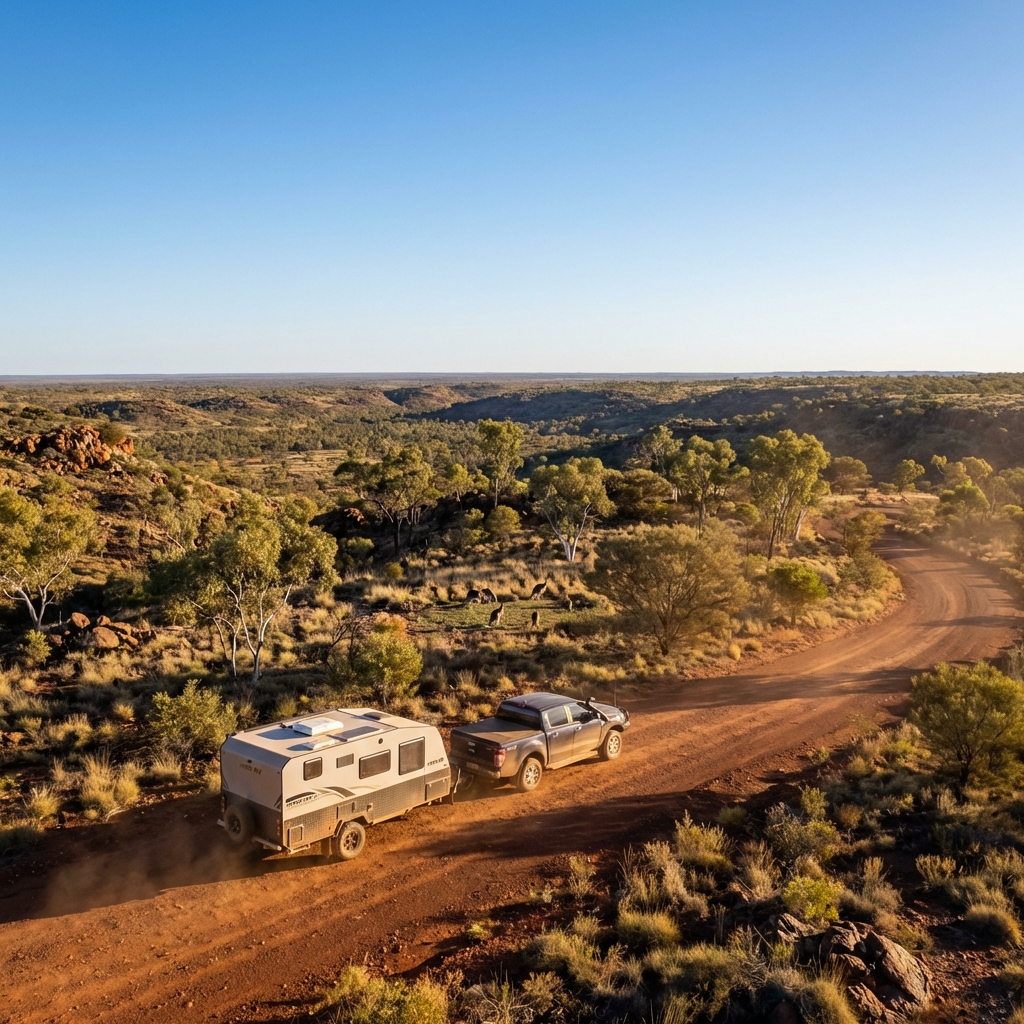
best for car
Create a cinematic, ultra-realistic adventure image for caravan that captures what Australians love most — vast landscapes, wildlife, and freedom.

Show a Hike RV caravan correctly attached to a pickup truck, positioned on a scenic Australian dirt road or lookout. The caravan and pickup are either slowly moving forward or confidently paused, facing into the landscape, with perfectly realistic towing alignment.

Environment & vibe:

Wide open Australian landscape (outback plains, bushland, or elevated lookout)

A small group of kangaroos in the mid-ground or background, naturally placed and not posing

Native vegetation like gum trees, dry grass, and rugged terrain

Strong sense of scale and openness Australians love

Sky & lighting:

Clear blue sky

Golden-hour sunlight (early morning or late afternoon)

Warm light hitting the caravan and pickup, long natural shadows

Subtle dust in the air for depth (not overpowering)

Camera & cinematic feel:

Low to mid-wide angle

Foreground depth with road or grass

Deep background stretching to the horizon

Film-like contrast and colour balance (natural, not stylised)

Style & realism:

Photorealistic cinematic travel photography

True-to-life textures and reflections

Natural colour grading (earth tones, blues, warm highlights)

No exaggeration or fantasy elements

Output rules:

No text

No people

No logos or overlays

Aspect ratio

Mood:

Epic

Free

Adventurous

Proudly Australian

Inspires exploration
Design a Windows application to generate balanced 7v7 football teams based on player strengths and specific roles.
Act as an Application Designer. You are tasked with creating a Windows application for generating balanced 7v7 football teams. The application will:

- Allow input of player names and their strengths.
- Include fixed roles for certain players (e.g., goalkeepers, defenders).
- Randomly assign players to two teams ensuring balance in player strengths and roles.
- Consider specific preferences like always having two goalkeepers.

Rules:
- Ensure that the team assignments are sensible and balanced.
- Maintain the flexibility to update player strengths and roles.
- Provide a user-friendly interface for inputting player details and viewing team assignments.

Variables:
- playerNames: List of player names
- playerStrengths: Corresponding strengths for each player
- fixedRoles: Pre-assigned roles for specific players
- defaultPreferences: Any additional team preferences